How do you get more orders on DoorDash?
Two of your stores sit on the same app, with the same menu and the same prices. One gets steady orders all week. The other barely moves. The difference is usually on the store page itself.
Fix the store page before you buy ads. Add clear photos to your most-ordered items. Name each dish plainly and describe what is in it. Keep hours and stock current so orders are not canceled. Price close to your counter menu. Answer reviews within a day. Then test a promotion at one store.
CreatoRain Team8 min read
CreatoRain is a done-for-you restaurant influencer marketing service for chains and franchises: CreatoRain's in-house team finds, invites and pays food creators and follows up until each video is posted.

What decides whether a DoorDash customer orders from you?
Most of the decision happens on one screen. A hungry customer scrolls a list of nearby stores, taps one and skims the menu. There is no server to describe a dish or suggest a side. The photos, the item names and the prices do that job. DoorDash puts it simply: your menu does the selling for you.
Opens the app hungry
scrolls nearby stores
Sees your header photo and rating
taps in
Skims the first categories
a photo catches the eye
Reads the item name and description
the price looks fair
Adds a side and checks out
Each step is a place to lose the order. A store with no photos loses people at the menu. A vague dish name loses them at the description. A price far above the counter menu loses them at checkout. A store that cancels orders loses them for good. The fixes cost little, and most are free. Work through them in the order a customer meets them, one store at a time.
Do menu photos really bring in more DoorDash orders?
Yes, and the delivery apps say so with their own data. DoorDash found that menus with item photos saw up to 44% more monthly sales. Grubhub says restaurants that add pictures and descriptions get as much as 70% more orders. It also reports 65% higher sales for them. These are each company’s own numbers. Treat them as a direction, not a promise.
- more monthly sales, at most, for DoorDash menus with item photos (DoorDash)
- 44%
- more orders, at most, for restaurants with pictures and descriptions (Grubhub)
- 70%
- higher sales for those same restaurants (Grubhub)
- 65%
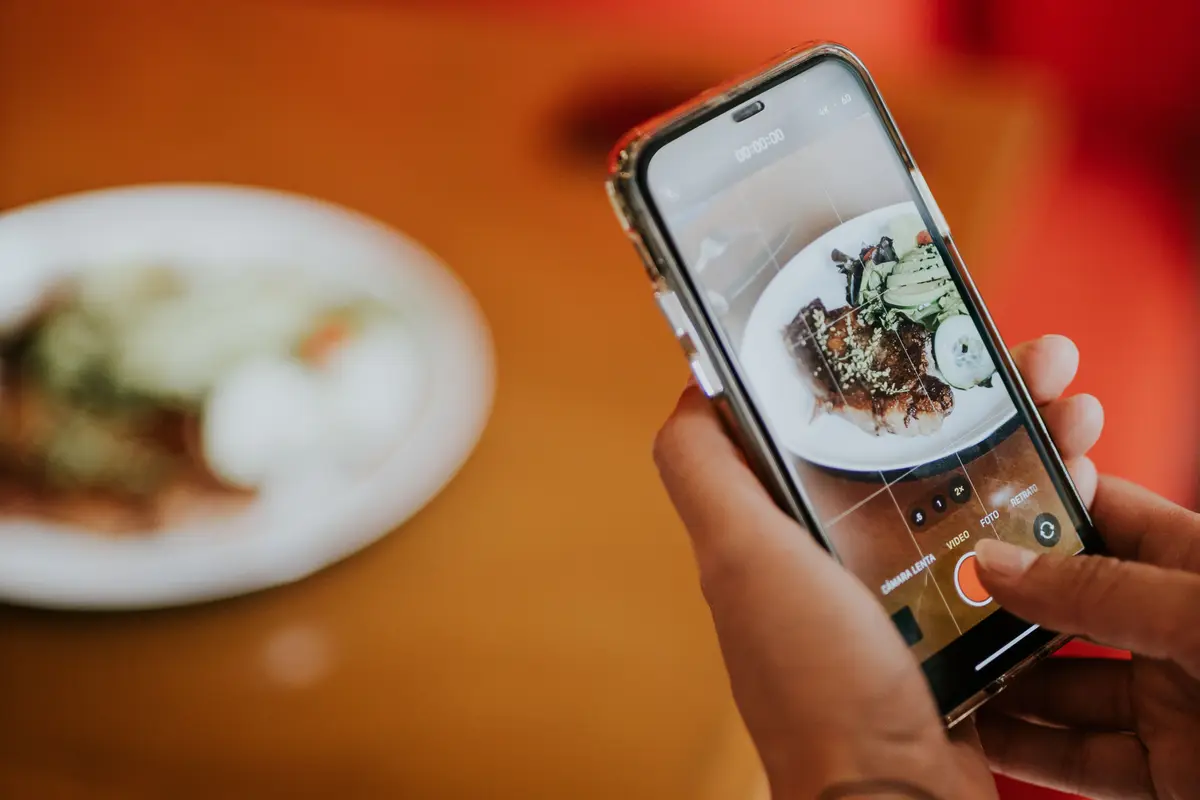
You do not need a studio. DoorDash offers a free professional photoshoot where it is available, and the only cost is the food. Its Smart Photo Tools turn quick phone shots into cleaner menu photos. You can also pull dishes straight from your Instagram account. Start with the items people order most. DoorDash gives the same advice when photos are a store’s weak spot.
How should you name and describe each menu item?
Plainly. A customer who has never visited does not know your house names. “The Jefferson” means nothing on a phone. “Spicy fried chicken sandwich” tells them what they get. Names and descriptions also do quiet work in search. DoorDash uses them to apply food labels like vegan, gluten-free or spicy. Those labels put your dishes in the right searches and dietary filters.
What a strong DoorDash item description includes
- The key ingredients, named plainly.
- An adjective or two, such as smoky or house-made.
- Dietary and allergen details.
- Serving sizes or piece counts for shared plates.
- One or two lines, short enough to scan on a phone.
Clear descriptions also cut mistakes. When customers know what comes with a dish, missing-item reports can drop. DoorDash links that to two of its store signals, missing items and cancellations. Short on time? Its Item Description Generator drafts a description from the item name, photo and add-ons. Read each draft before you save it. A franchise brand often controls item names, so ask your franchisor before you rename anything.
Which items should customers see first on your DoorDash menu?
The top of the menu gets the most attention on a small screen. DoorDash suggests splitting the menu into categories, much as a printed menu does. It also adds a Most Liked Items category on its own, so customers see what locals enjoy. Up to three items can carry that label at a time. Your own first categories come right after it.
| Position | What goes there |
|---|---|
| First category | Your most-ordered dishes, each with a photo |
| Second category | Meals for two or a family, priced as a bundle |
| Third category | Sides and drinks that pair with the dishes above them |
| Further down | Specials, dietary picks and everything else |
Pick dishes that travel well for that first category. A burger that arrives soggy earns a Didn’t Like rating, however good it is in the store. Then make each dish easy to build on. Offer a side, a drink or a size choice with each entree. Uber Eats says menus that allow customization get over 20% more orders. You edit menus in the Merchant Portal, so check each store’s menu after any change.
How does DoorDash’s Most Loved status affect your orders?
DoorDash grades every store on four operational signals. It calls the result Merchant Status. The tiers run from Poor to Needs Work, Almost There and Most Loved. Only Most Loved shows to customers. Those stores get a badge, a dedicated homepage carousel and more homepage visibility. The status updates monthly, based on the prior month’s orders.
| Signal | What it measures | First fix |
|---|---|---|
| Missing and incorrect items | Orders reported with a missing or wrong item | Check each bag against the ticket before handoff |
| Cancellations | Canceled orders, including for wrong hours or sold-out items | Update hours and mark items out of stock |
| Photo coverage | The share of menu items with images | Add photos to your most-ordered items |
| Menu markup | How far app prices sit above in-store prices | Narrow the gap on the dishes people order most |
Status is set store by store. Two locations of the same brand can sit in different tiers. That makes it a useful monthly scorecard for a franchisee. Open Insights › Most Loved in the Merchant Portal at the start of each month. Fix the signal the portal flags first. Then move to the next one. You do not need to fix everything at once.
How should you answer DoorDash ratings and reviews?
Customers rate an order as Loved, Liked or Didn’t Like. They can add tags such as Good Flavor, Accurate Order or Late Delivery. Most leave feedback within a day of the order. You can reply privately from the Merchant Portal. DoorDash gives you seven days to respond, and it recommends replying within a day.
Read the rating and its tags
within a day
Send a short, specific reply
Name the problem and apologize where it fits
if the order went wrong
Add a discount for a future order
if the same tag repeats
Fix the cause at that store
The tags matter more than any single review. Several Accurate Order complaints in one week point to the bagging station, not the customer. DoorDash may reject public reviews that mainly blame delivery time or food temperature. Those sit outside your control. Reviews on Google work much the same way. Our guide to getting more Google reviews covers asking guests in the store.
What does a DoorDash order actually cost a store?
DoorDash charges a commission on each order’s subtotal. On its Basic plan, delivery orders cost 15%. Higher plans charge more, up to 30%, and reach more customers. Pickup orders cost 6% on every plan. DoorDash lists no monthly or signup fee. Run the numbers on a typical order before you pick a plan.
| Order type | Commission | The store pays |
|---|---|---|
| Delivery, Basic plan | 15% | $4.50 |
| Delivery, highest plan | 30% | $9 |
| Pickup, any plan | 6% | $1.80 |
Owners feel this cost. In a National Restaurant Association survey in May 2026, 47% of full-service operators said third-party delivery orders made no profit. So did 43% of limited-service operators. Two in three said their average fee fell roughly in the range of DoorDash’s delivery rates. Our guide to setting a marketing budget helps you weigh that fee against your other spending.
Should your DoorDash prices be higher than in the store?
Most operators already charge more. Eighty-three percent of limited-service operators in that survey charged more on third-party apps. So did 66% of full-service operators. The association links those higher prices to delivery fees. But a wide gap costs orders. DoorDash studied small restaurants in 2023. Menus with marked-up prices saw up to 37% fewer sales.
How to price a delivery menu without losing orders
- Compare app and counter prices on your ten most-ordered items.
- Keep pickup prices equal to in-store prices, which the 6% pickup rate requires.
- Open Insights › Pricing to see the markup DoorDash measures.
- Put any markup on dishes that cost more to pack, not on every item.
- Use the same app prices at every store in one market.
DoorDash does not require price matching. It does count markup as one of its four signals. You keep control of your prices. A smaller gap on the dishes people come for is often enough. Customers notice the price of the item they opened the app to buy. They rarely compare the price of a side.
What does this look like for a franchisee with many stores?
Desmond’s fix cost some staff time and very little money. The ads came last, once each store page could turn a visit into an order.
When are DoorDash ads and promotions worth paying for?
After the store page is fixed. Ads, called Sponsored Listings, put your store on the homepage and in search results. You pay only when someone orders through the ad, not per click. Promotions offer a discount, free delivery or a free item. Stores new to either may get a free trial credit. Check the Marketing tab in the Merchant Portal.
| Goal | Campaign to try |
|---|---|
| Reach people who have never ordered | A Sponsored Listing on the homepage and in search |
| Win back customers who stopped ordering | A discount aimed at lapsed customers |
| Fill a slow afternoon | A time-specific promotion |
| Push a new or high-margin dish | A free or discounted item on that dish |
You set a bid per order and a budget, so the spend has a ceiling. Test at one store for two weeks and compare it with a similar store that runs nothing. Our guide to Google Ads for one location uses the same one-store test for search ads. Keep whichever campaign brings orders you would not have had anyway.
Can DoorDash orders start outside the app?
Many do. A customer may see your dish on Instagram or in a friend’s video, then search your name in the app. So your DoorDash photos can work as social posts too. DoorDash lets you use its photoshoot pictures on your website and social accounts. You cannot use them on other delivery apps.
| Where they saw you | What should be ready |
|---|---|
| A video from a friend or a local creator | The same dish, named the same way on your menu |
| Your Instagram account | The same photos on your DoorDash menu |
| A Google search | Correct hours and a working order link |
A creator’s video is one way to start that search. CreatoRain, which publishes this guide, makes those videos for restaurant chains and franchises, done for you. Each video costs $300, with the creator’s pay included. Ask that the dish be named exactly as it appears on your menu. A viewer can then find it in a few taps.
What should each store fix on DoorDash this month?
Work in the order a customer meets your store. Photos and names come first, because they win the tap. Hours and stock come next, because a canceled order wastes everything before it. Prices and reviews follow. Paid campaigns come last, and only at one store to start.
| Week | Fix |
|---|---|
| First | Photos on the most-ordered items at every store |
| Second | Plain names, short descriptions and a clean first category |
| Third | Hours, out-of-stock switches and app prices on key dishes |
| Fourth | Replies to every review, then one test campaign at one store |
Check Insights › Most Loved at the start of next month. Compare each store with its own last month, not with your other stores. A store that moves up a tier has earned its ad budget. A store that does not has its next fix already listed in the portal.
Sources and method
Where each number comes from
- “44%” — Strategies for Achieving Increased Order Size on DoorDash (DoorDash Merchant Learning, November 21, 2025). Read October 7, 2026.
- “70%” — Getting started with your Grubhub Menu (Grubhub for Restaurants). Read October 7, 2026.
- “65%” — Getting started with your Grubhub Menu (Grubhub for Restaurants). Read October 7, 2026.
- “over 20%” — Setting up your storefront and menu (Uber Eats for Merchants). Read October 7, 2026.
- “15%” — DoorDash Merchant Fees & Pricing (DoorDash for Merchants). Read October 7, 2026.
- “30%” — DoorDash Merchant Fees & Pricing (DoorDash for Merchants). Read October 7, 2026.
- “6%” — DoorDash Merchant Fees & Pricing (DoorDash for Merchants). Read October 7, 2026.
- “$30” — A round example order subtotal, chosen by us to show the commission in dollars. Measured October 7, 2026.
- “$4.50” — 15% Basic delivery commission × $30 subtotal = $4.50, using the rate on DoorDash’s pricing page. Measured October 7, 2026.
- “$9” — 30% delivery commission on DoorDash’s highest plan × $30 subtotal = $9, using the rate on DoorDash’s pricing page. Measured October 7, 2026.
- “$1.80” — 6% pickup commission × $30 subtotal = $1.80, using the rate on DoorDash’s pricing page. Measured October 7, 2026.
- “47%” — Comments on online food delivery fees, with the Restaurant Delivery Survey (National Restaurant Association, 2026). Read October 7, 2026.
- “43%” — Comments on online food delivery fees, with the Restaurant Delivery Survey (National Restaurant Association, 2026). Read October 7, 2026.
- “Two in three” — Comments on online food delivery fees, with the Restaurant Delivery Survey (National Restaurant Association, 2026). Read October 7, 2026.
- “Eighty-three percent” — Comments on online food delivery fees, with the Restaurant Delivery Survey (National Restaurant Association, 2026). Read October 7, 2026.
- “66%” — Comments on online food delivery fees, with the Restaurant Delivery Survey (National Restaurant Association, 2026). Read October 7, 2026.
- “37%” — How to Design a DoorDash Menu (DoorDash Merchant Learning). Read October 7, 2026.
- “$300” — As published on our pricing page.
Pages quoted in this article
- Strategies for Achieving Increased Order Size on DoorDash (DoorDash Merchant Learning, November 21, 2025) Read October 7, 2026.
- How Menu Quality Helps You Become a DoorDash Most Loved Store (DoorDash Merchant Learning, June 26, 2026) Read October 7, 2026.
- Road to Most Loved: DoorDash Merchant Status Guide (DoorDash Merchant Learning, May 1, 2026) Read October 7, 2026.
- Road to Most Loved FAQs (DoorDash Merchant Support) Read October 7, 2026.
- How to Manage DoorDash Customer Reviews in the Merchant Portal (DoorDash Merchant Learning) Read October 7, 2026.
- How to Design a DoorDash Menu (DoorDash Merchant Learning) Read October 7, 2026.
- DoorDash Merchant Fees & Pricing (DoorDash for Merchants) Read October 7, 2026.
- Boost Visibility with DoorDash Sponsored Listings (DoorDash for Merchants) Read October 7, 2026.
- Attract Customers with DoorDash Promotions (DoorDash for Merchants) Read October 7, 2026.
- Setting up your storefront and menu (Uber Eats for Merchants) Read October 7, 2026.
- Getting started with your Grubhub Menu (Grubhub for Restaurants) Read October 7, 2026.
- Comments on online food delivery fees, with the Restaurant Delivery Survey (National Restaurant Association, 2026) Read October 7, 2026.
Related questions
All 4 guides on Delivery & catering →Run more than one location? See how CreatoRain works for restaurant chains. See real campaigns in our case studies.