How do you tell if food influencers actually brought you customers?
Owners often hear guests say they saw the place on TikTok. That is the proof many owners get. It is real, but it is not a count. You can turn it into one with tools you already have.
Write down the day each video goes live. Compare the next two weeks with the same weekdays before. Count the dish the video showed, not only total sales. Have staff tally video mentions. Add a “how did you hear” question to bookings. Check Google directions and calls for those days. Three signals that agree are a fair answer.
CreatoRain Team7 min read
CreatoRain is a done-for-you restaurant influencer marketing service for chains and franchises: CreatoRain's in-house team finds, invites and pays food creators and follows up until each video is posted.

Why can’t your sales report answer this on its own?
Your till records what each table ordered. It has no field for why they came. A guest may also hear of you several times before a first visit. Toast asked US diners how they find new restaurants. Word of mouth led the list.
Word of mouth
38%Walking or driving past
30%Facebook
27%Map apps
18%Instagram
15%YouTube
15%TikTok
14%
So a creator’s video rarely works alone. It may be the last nudge after a friend’s tip and a drive past your sign. In Toast’s words, “Discovery is a multi-touchpoint game.” You are not trying to prove one cause. You want to see whether the days after a post look different from the days before it.
What should you write down the day a video goes live?
Every check in this guide starts from one date. Keep a post log in a shared sheet. Give each video one line. Fill it in the day the video goes live, while the details are fresh.
One line in the post log
- The date and hour the video went live
- The platform it ran on
- The dish or drink it showed
- The location it filmed or tagged
- The link to the video
- Anything else that week, such as a holiday or a local game
If the video never goes up, there is nothing to measure. The steps for a creator who never posts cover the follow-up.
How do you compare before and after fairly?
Compare like with like. A Saturday after a post belongs next to a Saturday before it. It does not belong next to a Tuesday. Pull daily sales for the two weeks before the post and the two weeks after it. Then line up each weekday with its twin.
Mark the post day
The day the video went live, from your post log
Same location, same hours
Pull the two weeks before
Daily sales and covers by weekday
Starting on the post day
Pull the two weeks after
The same report with the same columns
Saturday against Saturday
Line up the weekdays
Mark any day that moved more than usual
Before you decide
Check what else changed
Weather, a holiday, a new menu item or a road closure
Why two weeks? Many guests save a video and come later. A single weekend is too short to catch them. Go much longer, and a new menu or a heat wave muddies the picture.
Why count the dish and not just total sales?
Total sales move for many reasons. The dish in the video moves for fewer. Say a creator filmed your soup dumplings. Count the soup dumplings you sold each day. Square, for one, gives every seller an item sales report. A jump in that one item while the rest stays flat is a cleaner signal.
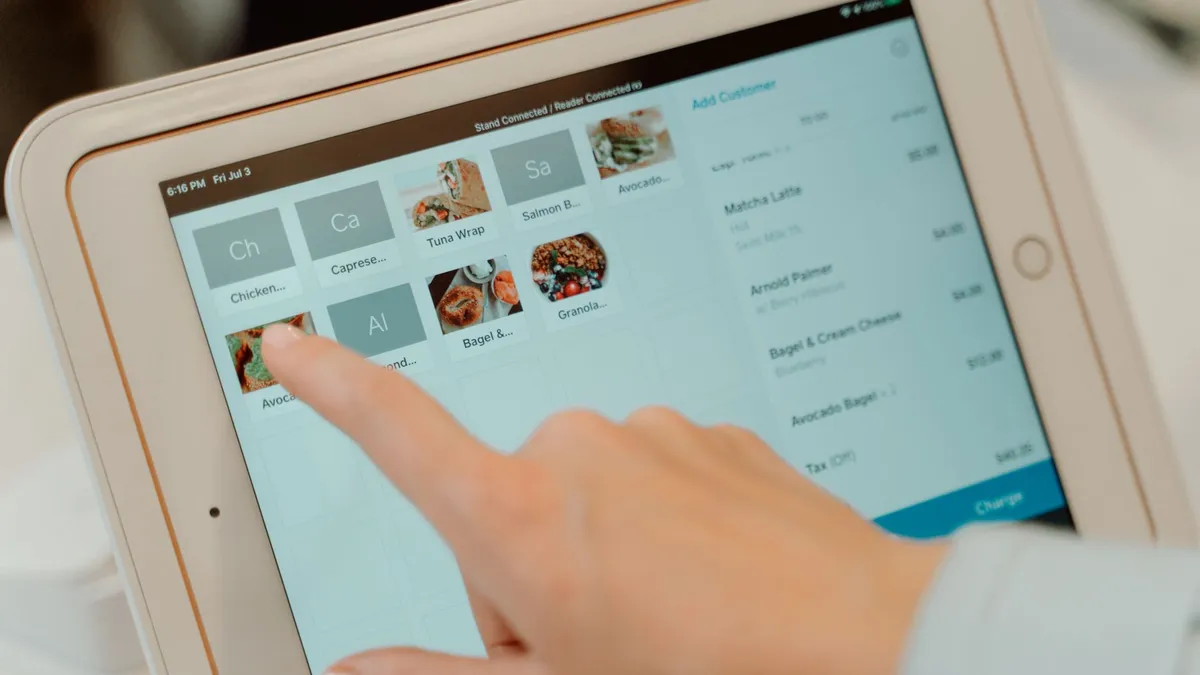
Keep the item name the same during the test. Square warns that a renamed item “will be recognized as a separate entry in reporting.” A rename splits your count in two. Watch the average check, too. A higher check after a post is worth a note beside the dish count.
| What you see | What it likely means |
|---|---|
| The filmed dish rises and the rest stays flat | The video probably sent guests asking for it |
| Everything rises together | Something broader happened, such as weather or an event |
| Nothing moves after two weeks | No visits you can see at that location |
| The filmed dish rises at one location only | Check which location the video tagged |
How do staff tally mentions without slowing service?
Guests often tell the host or the server. “We saw you on TikTok” is a common opener at the door. Most of those comments are forgotten by the end of the shift. Catch them with a paper tally sheet at the host stand. Mark one tick for each table that mentions a video.
Keep it light, or nobody will do it. Staff should never quiz guests. They only mark what guests say on their own. Your point-of-sale system may allow a custom button or order tag. A “saw a video” tag does the same job and keeps the count with the order. Read the total each week and write it in the post log.
Where does a “how did you hear about us” question belong?
Ask it where guests already type something. Booking forms and online ordering checkouts can often carry one extra question. So can catering requests. Keep the choices short. Keep the question optional, too. A required question collects random clicks.
Answer choices that work
- A friend or family member
- A video on TikTok or Instagram
- Google or a map app
- Walking or driving past
- Something else
Read these answers as a trend, not a census. Many guests pick the first choice that fits. Plenty skip the question. What matters is whether the video answer rises after a post. Compare its share in the two weeks before and after. A jump on the same days as your sales is a second signal.
What do Google Business Profile numbers show after a post?
Many guests who see a video search your name next. Your Google Business Profile records what people did after finding you on Search and Maps. Google lets you “set a date range to track your Business Profile performance.” Set it to the weeks around each post.
| Metric | What Google counts |
|---|---|
| Directions | “How many people asked for directions to your business.” |
| Calls | “The number of times a customer clicked on the call button on your Business Profile.” |
| Menus | “The number of times people clicked on the menu content per user, per day.” |
A rise in direction requests after a post is a good sign. People went looking for you. It is not proof they arrived. If you also run search ads, count calls and direction taps as goals there too.
Can you see the creator’s numbers yourself?
On Instagram, ask the creator to tag your business with the paid partnership label. Instagram says the brand partner gets a notification once the post is live. The brand also gets “access to the content’s insights.” Your business needs a professional account for this. The label tells viewers it was a partnership, too. Our guide on disclosing a free meal explains why that matters.
What to ask the creator for
- Your business tagged in the paid partnership label on Instagram
- The day and hour the video went live
- The link to the video
- A screenshot of views, saves and shares two weeks after it goes live
What does this look like in a real week?
Notice what Keisha compared. She used the same weekday, the same dish and a shop the video never touched. None of it needed new software.
How many extra guests does a video need to pay for itself?
Work it out before the video goes live. Take what the video costs you. Divide it by what one average order leaves you after food and labor. The answer is the number of extra orders you need. Write it at the top of the post log.
Cost of the video
The creator’s fee plus any free food
Divide by
Profit on one order
Average check minus food and labor on it
Equals
Extra orders needed
Compare this with your tally and dish count
Owners land on both sides of that line. In a Reddit thread for restaurant owners, one owner paid two creators $500 and $200. That owner’s verdict was “Not worth it in my case.” A written break-even turns that gut call into a number you can check.
How do you read results across several locations?
Several locations give you a built-in comparison. Set a location that had a post next to a similar one without one. Use the same days. If both rise, something else is going on. If only the posted location rises, the video is the likelier cause. Google lets you download profile data for many locations at once in one spreadsheet.
- have visited a restaurant after seeing it on TikTok
- 58%
- traveled farther than usual to visit a restaurant they saw
- 56%
- spent more than they normally would
- 52%
That willingness to travel cuts both ways. A video filmed at one store can send guests to another store nearby. Match each video to the location it tagged. Then check its neighbors before you decide a post did nothing.
What should you not conclude from the numbers?
Small numbers swing on their own. One slow week before a post can make any week after it look like a win. Judge several posts together. Give more weight to a pattern that repeats than to one good Saturday.
| Signal | What it shows | What it misses |
|---|---|---|
| Same-weekday sales | Whether the days after a post moved | Why they moved |
| Dish count | Whether guests asked for the filmed dish | Guests who ordered something else |
| Staff tally | Guests who said so out loud | Quiet guests |
| “How did you hear” answers | A trend in what guests remember | Guests who skip the question |
| Google profile actions | People who went looking for you | Whether they came in |
CreatoRain runs creator videos for restaurant chains and franchises, done for you. Our in-house team invites creators from our food-creator network and pays them. It follows up until each video is posted. Each creator is asked to add the video’s link once it is live. You get the post date to match against your sales. It costs $300 a video, with the creator’s pay included. For the wider budget, see how much food influencers cost.
Sources and method
Where each number comes from
- “$500” — Owners on paying food influencers (r/restaurantowners thread on Reddit, May 31, 2026). Read October 7, 2026.
- “$200” — Owners on paying food influencers (r/restaurantowners thread on Reddit, May 31, 2026). Read October 7, 2026.
- “38%” — How Guests Discover New Restaurants in 2026 (Toast, July 30, 2026). Read October 7, 2026.
- “30%” — How Guests Discover New Restaurants in 2026 (Toast, July 30, 2026). Read October 7, 2026.
- “27%” — How Guests Discover New Restaurants in 2026 (Toast, July 30, 2026). Read October 7, 2026.
- “18%” — How Guests Discover New Restaurants in 2026 (Toast, July 30, 2026). Read October 7, 2026.
- “15%” — How Guests Discover New Restaurants in 2026 (Toast, July 30, 2026). Read October 7, 2026.
- “14%” — How Guests Discover New Restaurants in 2026 (Toast, July 30, 2026). Read October 7, 2026.
- “58%” — (SURVEY) TikTok Drives Restaurant Sales (MGH). Read October 7, 2026.
- “56%” — (SURVEY) TikTok Drives Restaurant Sales (MGH). Read October 7, 2026.
- “52%” — (SURVEY) TikTok Drives Restaurant Sales (MGH). Read October 7, 2026.
- “$300” — As published on our pricing page.
Pages quoted in this article
- Owners on paying food influencers (r/restaurantowners thread on Reddit, May 31, 2026) Read October 7, 2026.
- How Guests Discover New Restaurants in 2026 (Toast, July 30, 2026) Read October 7, 2026.
- (SURVEY) TikTok Drives Restaurant Sales (MGH) Read October 7, 2026.
- Set up analytics and reporting (Square Support Center) Read October 7, 2026.
- Understand your Business Profile performance & insights (Google Business Profile Help) Read October 7, 2026.
- How to use the paid partnership label to tag organic branded content on Instagram (Instagram Help Center) Read October 7, 2026.
Related questions
All 8 guides on Costs & ROI →Run more than one location? See how CreatoRain works for restaurant chains. See real campaigns in our case studies.