Can you film customers in your restaurant for social media?
A creator props a phone on a tiny tripod at table six. Behind her, a couple leans in over dessert. Your next post could put them on strangers’ phones. Did anyone ask them first?
Usually, yes. A dining room open to the public offers guests little privacy. Wide shots where diners are part of the room are generally fine. Using a guest’s face in an ad needs their consent in many states. Post a sign at the door. Ask before any close-up. Get that yes in writing.
CreatoRain Team7 min read
CreatoRain is a done-for-you restaurant influencer marketing service for chains and franchises: CreatoRain's in-house team finds, invites and pays food creators and follows up until each video is posted.

Do guests have privacy in your dining room?
Less than most owners assume. Your restaurant is private property, but you open it to anyone who walks in. Guests eat in full view of strangers, staff and other phones. The Reporters Committee for Freedom of the Press, a legal help group for journalists, sums up the rule for spoken words. For a talk in a public place, it says, “there is no reasonable expectation of privacy.” That holds most of all when people talk loudly.
That does not make every shot fair game. Two uses still need care. The first is putting a guest’s face to work selling your food. The second is recording what guests say to each other. State laws differ on both, so treat this guide as a map rather than legal advice.
| Shot | Usually okay? | What to do |
|---|---|---|
| A wide shot of a full dining room | Yes | Keep a filming sign at the door |
| Your food, drinks and kitchen | Yes | Keep staff faces out unless they agreed |
| One guest’s face in close-up | Only with a yes | Ask first, then get it in writing |
| Any guest in a paid ad | Only with a yes | Use a signed release |
| Guests’ table talk on the audio | Risky | Use music or a voiceover instead |
| Restrooms or staff rooms | Never | No cameras at all |
When do you need a guest’s permission?
You need it when a guest’s face helps you sell. Many states protect a person’s likeness from use in ads. California’s Civil Code section 3344 covers anyone who uses another’s “photograph, or likeness” for advertising without “prior consent.” A guest who wins can collect at least $750, or their actual losses if higher. The law covers video too. It defines a photograph as “still or moving.”
New York asks for paper. Its civil rights law bars using a person’s “name, portrait, picture, likeness, or voice” for advertising without “the written consent of such person.” A nod at the table is not enough there.
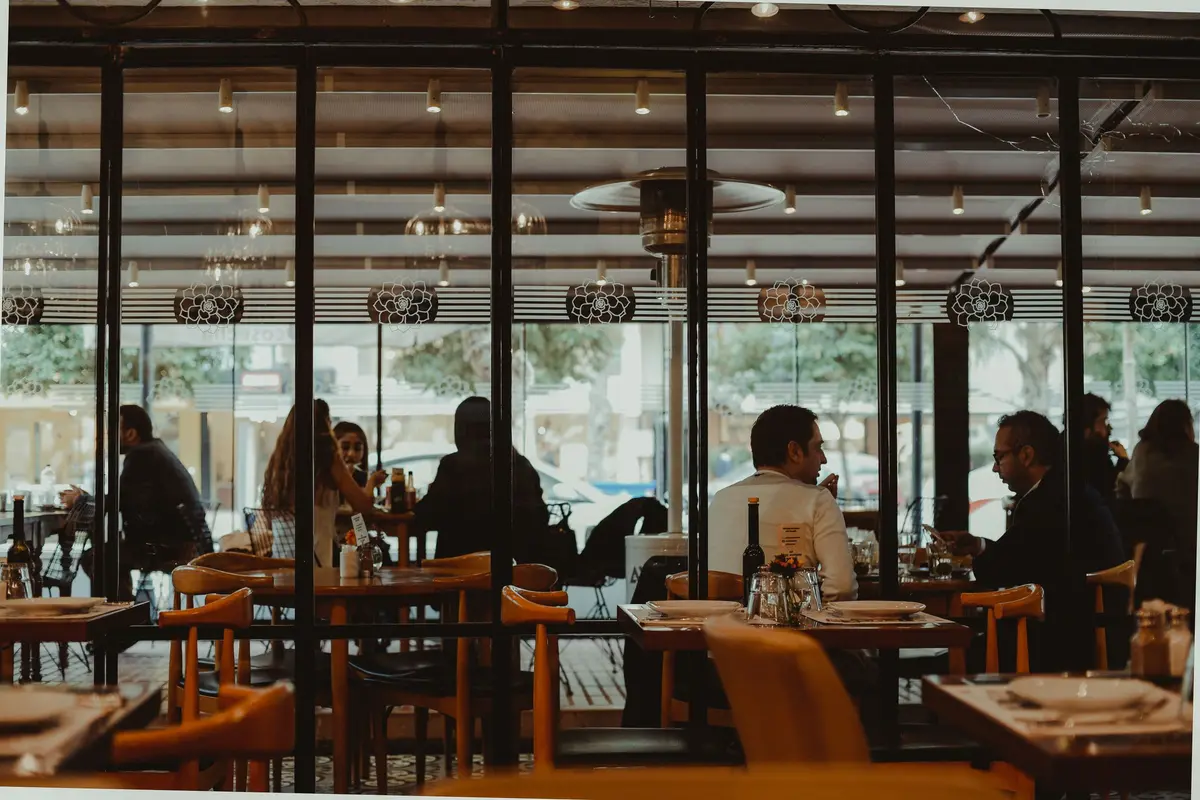
Crowds get softer treatment. California’s statute treats people as part of a “definable group” when they appear “solely as a result of being present.” Its examples include “a crowd in any street or public building.” That protection ends once someone is “singled out as individuals in any manner.” A wide shot of a full room sits on the safe side. A slow zoom onto one couple does not. The same holds for a game-day crowd at your bar.
What should your filming sign say?
A sign does two jobs. It tells guests that cameras may be on, so nobody feels ambushed. It also gives anyone who minds an easy way to say so. Put one at the host stand and one by the register. A small table card helps on nights you have a shoot booked.

Be clear about what a sign can and cannot do. It covers background shots. It is not consent to feature one guest in an ad. Stock photo sites hold photographers to the same line. Shutterstock wants a release for “every identifiable person in the image.” Its rule on faces is blunt. “A partially visible face is still considered recognizable.”
How do you ask a guest before a close-up?
Ask before you film, not after. A guest who agrees up front gives you a better shot anyway. Have one person do the asking, ideally a manager rather than the creator. Keep the request short and easy to refuse.
Ask at the table
Say what you are filming and where it will be posted.
If they say yes
Get it in writing
A short release on a tablet or phone, signed and dated.
Once it is signed
Film the close-up
Show them the frame before you start.
If they change their mind
Leave them out
Delete the clip or cut around them.
The release can be one page. It names the guest, the date and the location. It says where the video may run, such as your social pages and paid ads. The Digital Media Law Project gives plain advice. “Make sure to get consent in writing whenever possible.” It also notes that people can take consent back “anytime before the use of their name or photograph takes place.”
Offer a small thank-you for the trouble, such as dessert on the house. Never make the free item depend on saying yes. A guest who feels pushed into a release is a guest who complains later.

Can you record what guests are saying?
Sound is where owners get caught out. Pictures and conversations fall under different laws. In about 11 states, recording a conversation needs the consent of everyone in it, the Reporters Committee reports. California is one of them. The group also gives the simplest fix. “If your camera does not record audio, wiretap laws will generally not apply.”
California’s penal code makes it a crime to record a “confidential communication” without everyone’s consent. The fine runs up to $2,500 per violation. The law leaves out talk “made in a public gathering,” and a busy dining room may count. A quiet corner booth may not. That is not a line to test with a guest’s private chat.
Keep table talk off your audio
- Put a clip-on mic on the person speaking, not on the room
- Lay music or a voiceover over wide shots
- Turn the camera mic off for shots of busy tables
- Never film a table’s conversation as content
- Mute any clip where a nearby guest can be heard
Do staff and children need different handling?
Both need a clear yes. For staff, add a short media release to your onboarding packet. Make it optional, because some team members have good reasons to stay off camera. Keep a list at each location of who opted out, so a shift lead can check it before a shoot.
Put these in a staff media release
- Where the videos may run, including paid ads
- That saying no has no effect on shifts or pay
- How to opt out later, and who to tell
- What happens to old posts after someone leaves
Children need a parent’s consent. California’s and New York’s laws both look to a parent or guardian for a minor. The Digital Media Law Project describes a minor as “generally someone under the age of eighteen.” The simplest rule is to keep children out of the frame. On family nights, point the camera at the food.
What changes when a creator films for you?
A creator’s own post is their review, and the creator answers for it. The picture changes when you boost the video as an ad or repost it on your pages. At that point your business is using whoever appears in it to sell.
Put guest rules in the brief, next to the post date and the dishes. Our one-month creator campaign plan shows where they fit. Ask the creator for the full clip before you boost, so you can check every face.
Where should you never point a camera?
Some spaces are off limits whatever your sign says. The Reporters Committee notes that every state and the District of Columbia has laws “outlawing certain uses of hidden cameras in private places.” An open camera in the wrong room is still the wrong camera.
Never film in these places
- Restrooms, including the sink area
- Staff break rooms and changing areas
- Back offices where cash or files are in view
- A guest’s phone screen, receipt or card
- Any table where a guest has said no
Watch the edges of every frame too. A mirror can catch a restroom door left open. A close shot of the counter can catch a card number. Review the footage before it posts, not after. Have a second person watch it too, because the person who filmed a shot rarely spots what is in its corners.
What if a guest asks you to take a video down?
Take it down the same day. You lose one post. You keep a guest, and you avoid a fight in your reviews. People feel strongly about this. A YouGov poll from 2023 asked about filming strangers in public and sharing them on social media without consent. Of U.S. adults, 48% said it should be illegal.
- said posting strangers filmed in public to social media without consent should be illegal
- 48%
- called it usually or always unacceptable, whatever the law says
- 54%
Reply privately and kindly. Thank the guest for telling you. Then remove the clip, or post a version that leaves them out. If the video runs as an ad, pause the ad first. Write down what you removed and when, in case the guest asks again.
Does your franchisor have its own filming rules?
Some systems do, so check before your first shoot. Others leave it to each franchisee. Either way, one set of terms across your stores keeps managers from guessing. It also means a guest gets the same answer at every location.
Check these before your first shoot
- Your brand standards manual, for photo and video rules
- Whether the system supplies a release form or sign wording
- Who must approve a paid ad that shows guests
- Who keeps signed releases, and for how long
If your system has no rule, write a short one for your own stores. Share it with your franchise business consultant so it does not surprise anyone. For how local marketing usually works inside a system, see how franchisees market their location locally.
What does doing this right cost a small chain?
| Step | Cost | Time |
|---|---|---|
| A sign at the host stand and register | A few dollars in printing | One afternoon |
| A one-page guest release on a tablet | Little or nothing | A minute per guest |
| A staff media release at onboarding | Nothing | One extra page |
| Reviewing footage before it posts | Staff time | A few minutes a video |
Set that against the downside. In California, one guest used in an ad without consent can claim at least $750. A recorded private conversation can bring a fine of up to $2,500. The safeguards cost less than one claim.
Shoot nights take staff time, and that is the real cost. CreatoRain books creators from its food-creator network to film at chain and franchise locations. The price is $300 a video, the creator’s pay included. Your manager still decides which guests appear.
Sources and method
Where each number comes from
- “about 11 states” — Introduction to the Reporter’s Recording Guide (Reporters Committee for Freedom of the Press). Read October 7, 2026.
- “section 3344” — California Civil Code section 3344 (2025), use of another’s name or likeness. Read October 7, 2026.
- “$750” — California Civil Code section 3344 (2025), use of another’s name or likeness. Read October 7, 2026.
- “$2,500” — California Penal Code section 632 (2025), recording confidential communications. Read October 7, 2026.
- “48%” — Do you think it should be legal or illegal for people to film and share content of strangers in public without their consent on social media? (YouGov, February 13, 2023). Read October 7, 2026.
- “2023” — Do you think it should be legal or illegal for people to film and share content of strangers in public without their consent on social media? (YouGov, February 13, 2023). Read October 7, 2026.
- “54%” — Our sum of the “usually unacceptable” (29%) and “always unacceptable” (25%) shares in YouGov’s February 13, 2023 poll of 32,391 U.S. adults on filming and sharing strangers without consent. Measured October 7, 2026.
- “$300” — As published on our pricing page.
Pages quoted in this article
- Introduction to the Reporter’s Recording Guide (Reporters Committee for Freedom of the Press) Read October 7, 2026.
- California Civil Code section 3344 (2025), use of another’s name or likeness Read October 7, 2026.
- California Penal Code section 632 (2025), recording confidential communications Read October 7, 2026.
- New York Civil Rights Law section 50, right of privacy (New York State Senate) Read October 7, 2026.
- Using the Name or Likeness of Another (Digital Media Law Project) Read October 7, 2026.
- What are the requirements for model releases? (Shutterstock Contributor help, September 13, 2025) Read October 7, 2026.
- Do you think it should be legal or illegal for people to film and share content of strangers in public without their consent on social media? (YouGov, February 13, 2023) Read October 7, 2026.
- Regardless of its legal status, do you consider it to be acceptable or unacceptable for people to film and share content of strangers in public without their consent on social media? (YouGov, February 13, 2023) Read October 7, 2026.
Related questions
All 12 guides on Working with creators →Run more than one location? See how CreatoRain works for restaurant chains. See real campaigns in our case studies.